
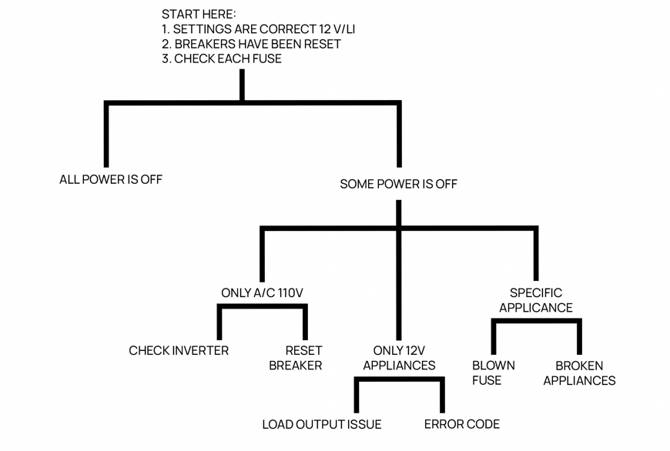
Resetting Your Electrical System (DC)
Reset electrical using the solar controller (utility bay in the garage).
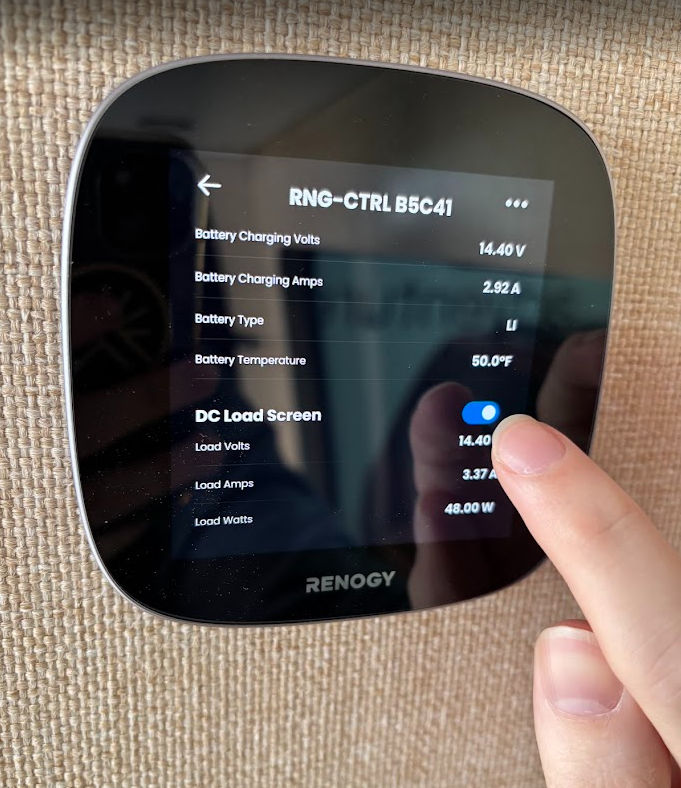
Retest electrical using Renogy Core One Controller Display (Video)
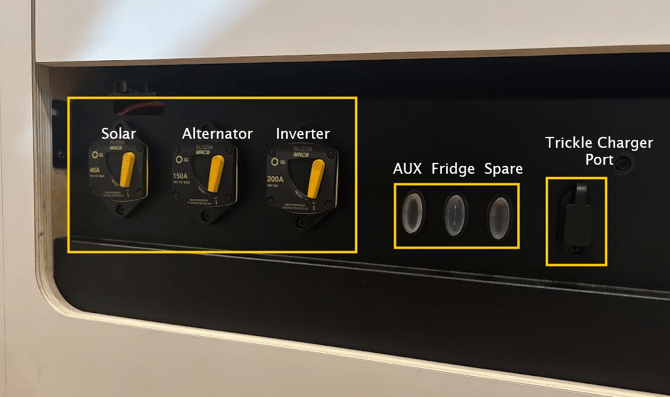
Main Breakers
Step 1: Turn power on and confirm batteries are functioning
- Turn off all DC breakers: DC Breakers are located in the Kitchen base cabinet or in the bottom false drawer.
- After all the breakers have been flipped to the “off” position, flip the Rover controller breaker to the “on” position.
- The information shown on the battery monitor screen should now only show information on the draw or charge from the solar controller. If the battery monitor screen is blank, press and hold the “on” button (button on the side of the monitor) for 3 seconds to turn the batteries on.
- If the battery state of charge is below 75%, charge the battery before continuing to the next step.
Step 2: Setup the solar charge controller
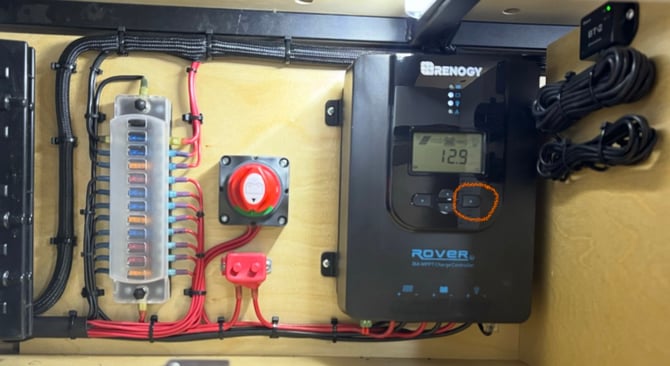
Now that adequate battery power is supplied to the Renogy Rover solar charge controller, we can verify that all the settings are correct. The Renogy Rover solar charge controller is located under the bed in the top left storage cubby of the utility box.
- Verify the solar panel and battery are connected to the solar controller. The Solar panel and battery indicator LEDs on the top center of the controller will be illuminated. (*Note: the solar panel icon LED can be blinking but the Battery Icon will only blink if there is a fault and should be solid.)*
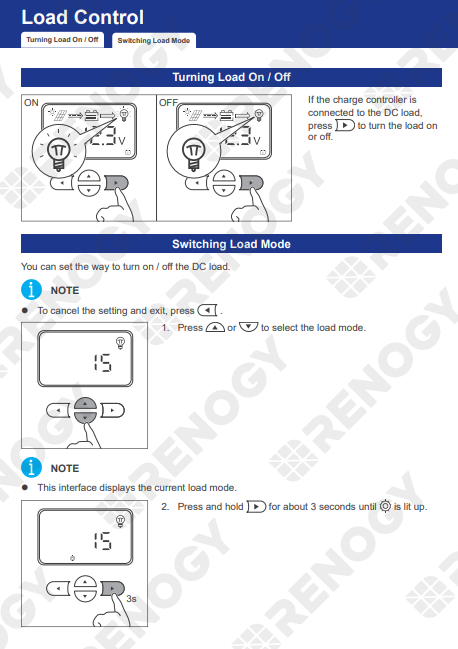
- Verify the “Load Output” is turned on. The Light bulb indicator LED is illuminated. If the LED next to the light bulb icon is not illuminated, firmly short-press the right arrow key on the front face of the solar controller one time.
- Set the correct battery type. Begin by long-pressing the right arrow key until a small sun icon appears on the bottom center of the LCD screen and the battery type icon on the bottom right of the LCD screen starts to blink.
- Use the up and down arrow keys to cycle through battery types until the battery type icon reads, ”Li”.
- Short press the right arrow key to edit the system voltage (lower left of the LCD screen) and use the up and down arrows to select “12V”.
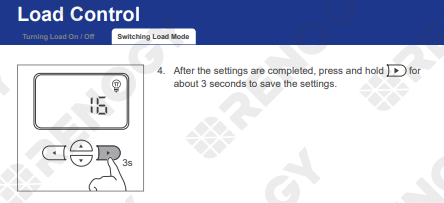
- Long press the right arrow key again to save changes.
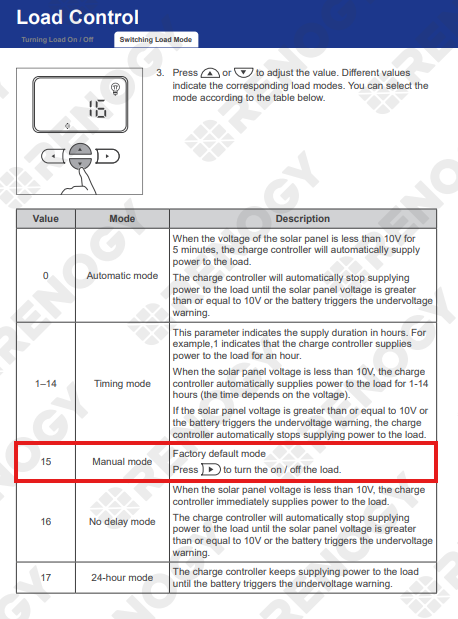
- Set the correct load output
Step 3: Turn on the remaining breakers
- Turn on the remaining DC breaker switches.
- With all DC breakers in the “on” position, all systems in your van should be functioning.
- Load loss or gain from your battery can be viewed using the battery monitor screen. A number with a negative symbol on the left indicates loss, while a number with no negative symbol indicates gain or charge.
- You can see a gain or charge by parking in the sun with all appliances off, or by turning on the van engine.
- You can see a loss by turning the van’s engine off and running various appliances in the van.
- Having a good understanding of each appliance’s draw on the battery will help plan for power consumption and set expectations for the capabilities of your power system.
If you are still experiencing problems after completing this troubleshooting guide, please reach out to support@van-craft.com..